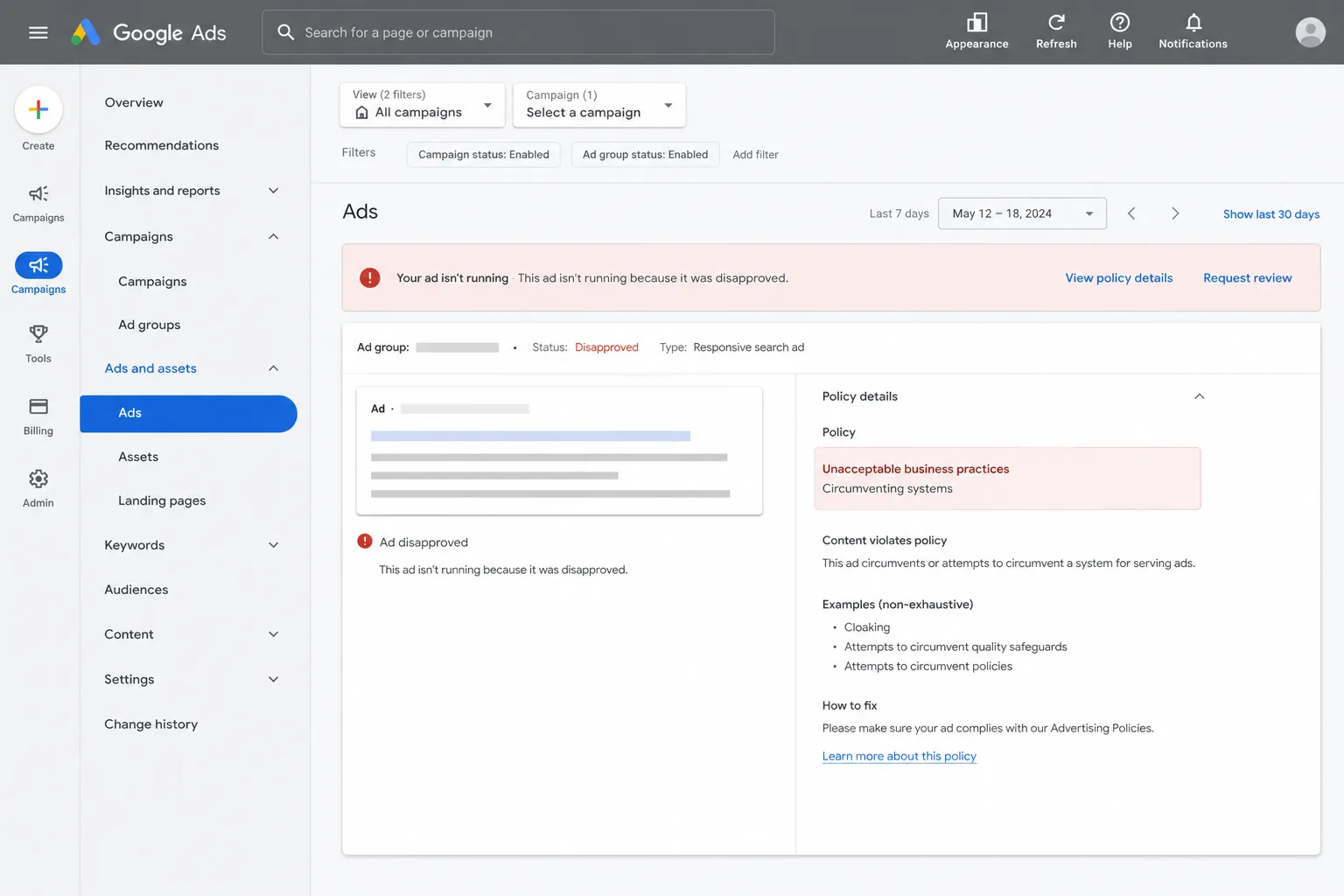
Google Ads can stop running in an instant, and the reason isn’t always clear. Below we break down the most common reasons Google Ads get disapproved, show how each issue works, and tell you where the real pitfalls lie.
We analyzed 22 comments and questions from Reddit and Quora about google ads disapproval reasons and found that 27% mentioned malware or a hacked site.
Ad Content That Violates Google Ads Policies
Google’s policy engine checks every element of an ad: headline, description, images, and the URL you point to. If anything breaks a rule, the ad is blocked. Prohibited content includes hate speech, graphic sexual material, counterfeit goods, and dangerous products. The policy page lists dozens of disallowed items and explains that a single violation can halt the ad.
Small details, such as a symbol or a trademarked term, can trigger a rejection. The fix is usually simple: remove the offending element and resubmit. If you’re unsure what triggered the block, check the policy details for the ad to see which rule was hit.
When the problem lives on the landing page, the same rule applies. The page must be free of adult‑oriented content, illegal offers, or anything that could be seen as shocking. A quick audit of the page’s copy and images often reveals the culprit.
Bottom line: keep the ad copy clean, stay away from restricted topics, and double‑check the policy details before you launch.
Destination Mismatch: When the Ad URL Doesn't Match the Landing Page
Google expects the URL you show in the ad to lead directly to the same domain and content that the final URL resolves to. If the display URL ends with “example.com” but the final click lands on “example2.com”, the ad fails a destination policy check. This also covers subdomains that aren’t clearly distinguished, case‑sensitive URL differences, and geo‑redirects that send users to a different domain.
The fix is to align every part of the URL chain. Make sure the display URL, final URL, and any tracking templates all point to the same domain. If you use dynamic tracking parameters, prepend {ignore} to avoid a mismatch.
A quick way to verify is to paste the final URL into a private browser window and watch where it ends up.
Key Takeaway: A single stray redirect or mismatched case can cause a disapproval, so audit every URL component before you hit save.
We often see this issue when agencies set up campaign‑wide tracking templates that add extra parameters. Updating the template to match the final URL resolves the problem in minutes.
Long Weekend helps clients audit their URL structures as part of our managed PPC service, ensuring every ad passes the destination check.
Landing‑Page Problems: Redirects, Flash, and Automated Clicks
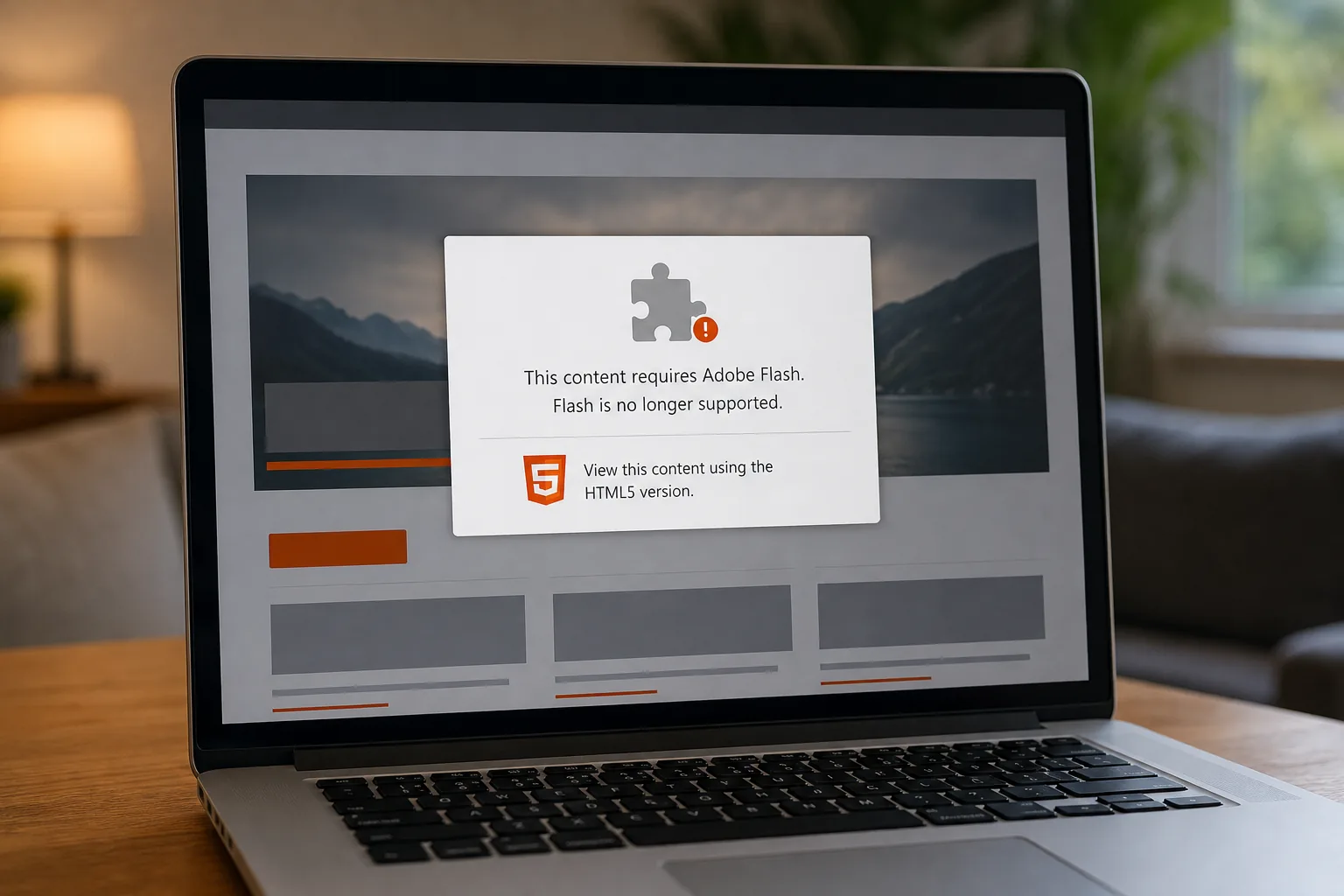
Even if the ad itself follows policy, the landing page can still trip the system. Google blocks pages that load Flash, auto‑redirect users without a click, or hide content behind scripts that fire without user interaction. These tactics are seen as deceptive and lead to an immediate disapproval.
Flash is dead on most browsers, but some legacy tags still slip through creative assets. Replace any Flash with HTML5; the change is quick and keeps the page lightweight.
Automatic redirects are a common mistake when marketers use “squeeze” pages that push users to a thank‑you page before they’ve read the offer. Google expects a user‑initiated click to open the destination. Removing the auto‑redirect or adding a clear call‑to‑action fixes the violation.
Another hidden trap is a landing page that blocks Google’s crawler with robots.txt or returns an HTTP error to an ad crawler. Use the URL Inspection tool in Search Console to confirm the page is crawlable.
Pro Tip: Run a quick “view source” check for any object or embed tags that load Flash; replace them with modern HTML5 video or image tags.
Fixing these three issues (Flash, auto-redirects and crawler blocks) clears many landing-page disapprovals.
Ad Disapproval vs. Account Suspension
Most policy breaches only result in a single ad being disapproved. However, repeated or egregious violations can trigger a strike system that ends in account suspension. Google labels an egregious violation as a serious breach that can cause immediate suspension without warning.
Typical triggers for suspension include repeated misrepresentation, attempts to circumvent policies (cloaking), or promoting illegal goods. Under Google’s strike system, a first violation usually brings a warning, further strikes bring temporary account holds, and a third strike leads to suspension.
If your account gets suspended, you’ll receive an in‑account notification and an email detailing the offending policies. You can appeal, but the appeal must include a clear explanation of what you changed and proof that the issue is resolved.
Long Weekend works with clients to set up monitoring alerts that flag policy‑related errors before they pile up, reducing the risk of a suspension.
Bottom line: treat each disapproval as a warning sign, fix it fast, and keep a log of changes to stay ahead of the strike system.
FAQ
Why is my ad showing as “Disapproved” but the policy details are blank?
Google sometimes withholds details while it reviews a large batch of ads. In this case, the ad is still under review and you’ll see the reason once the review finishes. Check back after 24 hours.
Can I appeal a disapproved ad more than three times?
You can request another review, but repeated appeals without changes rarely succeed. Edit the ad and fix the issue before appealing again.
Do display URL mismatches affect ad performance?
A mismatch between the display URL and the final and mobile URLs can violate Destination Requirements. Update the display URL so its domain and extension exactly match the final and mobile URLs.
Is Flash still allowed in any Google Ads format?
No, Flash is disallowed across all Google Ads products. Replace Flash assets with HTML5 to comply and improve load speed.
What happens if my account is suspended for an egregious violation?
The account stops serving all ads immediately and you can’t create new campaigns until the suspension is lifted. You’ll need to submit an appeal with proof of compliance; only a compelling reason can reverse a permanent ban.
How can I prevent future disapprovals?
Set up a regular policy audit, review available policy details, and keep a change log for every ad edit. That way you spot a problem before it escalates.
We’ve covered the biggest reasons ads get blocked and how to keep your account safe. If you need a partner who can handle the audit, fix the issues, and keep your campaigns compliant, Long Weekend is ready to help. Start with a free review and let us get your ads back on track.
Looking for the right digital marketing agency for your business — one that drives measurable ROI? Long Weekend helps service businesses, SaaS, ecommerce brands and more — grow with expert SEO, AI Search, Google Ads (PPC) management, paid social ads, website design, and more.