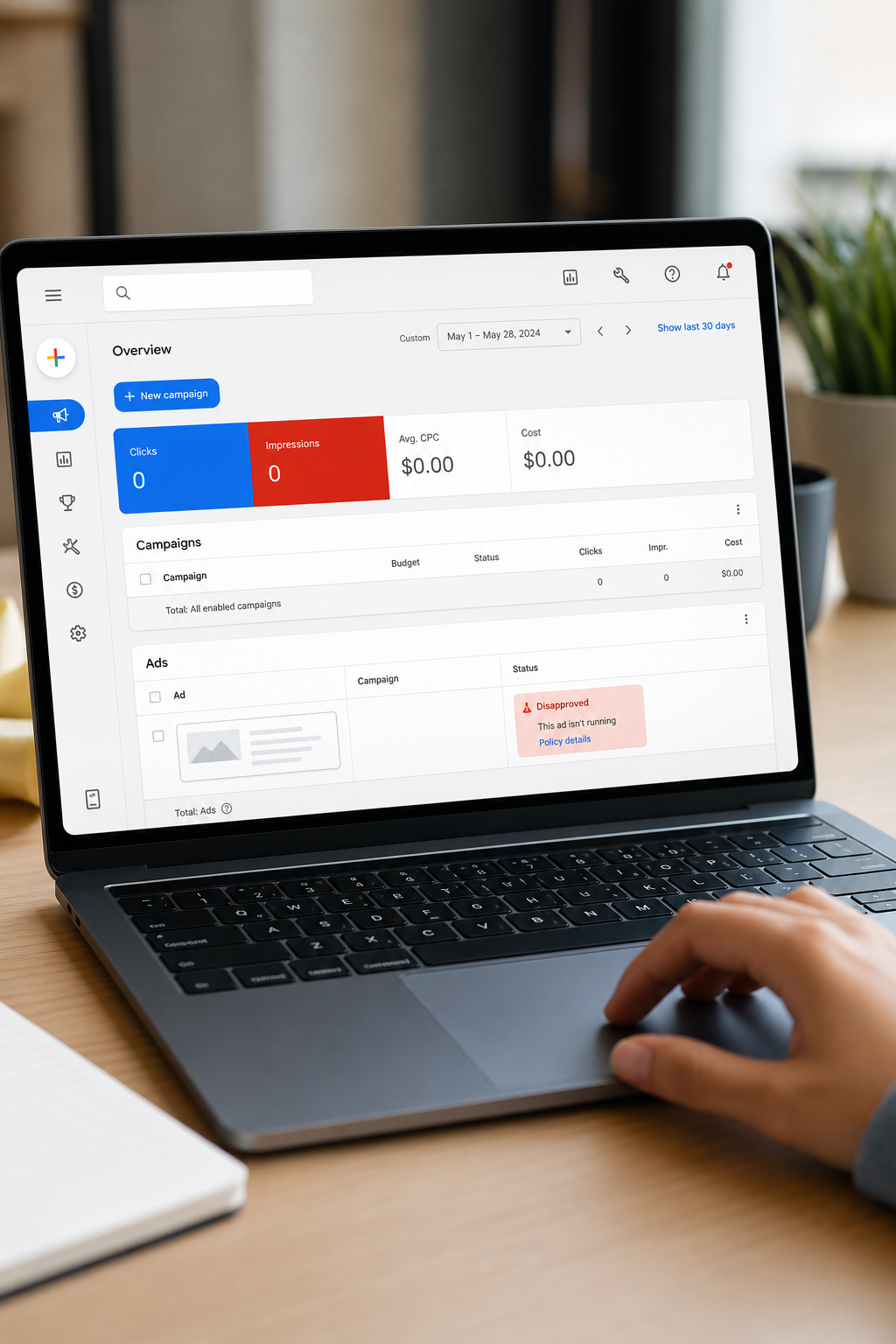
A disapproved Google Ad stops your campaign cold. No impressions, no clicks, no revenue until it's resolved. The good news: most disapprovals follow a pattern, and once you know the steps, you can get back up and running faster than you think.
Step 1: Find Out Why Your Google Ad Was Disapproved
Your first job is to find the exact reason Google rejected the ad. Don't guess. The reason is sitting right in your account.
Log into Google Ads and go to Campaigns > Ads & assets. Look at the status column next to each ad. If it says "Disapproved" or "Eligible (limited)", click the speech bubble icon next to it. A small panel will open showing the policy violation name and a short description.
Write it down. The policy name matters more than the status label, because it tells you exactly where to look next.
You can also check disapprovals in bulk. Go to Tools & Settings and look for the disapprovals section. This view shows every disapproved asset across all campaigns in one place, which saves a lot of time if you're managing multiple ads. Filter by "Disapproved" to see only the ones that need attention.
Google also sends email notifications about disapprovals, but the emails are sometimes vague. The account dashboard gives you more detail. Make it your primary source.
Some disapprovals are account-level, not ad-level. If every ad in your account gets flagged at once, check your billing status and whether your account has any active suspensions under Account > Account Status. A billing failure can trigger a sweeping disapproval that looks like a policy issue but isn't.
Once you have the specific policy name, you're ready to understand what it actually means. At Long Weekend's Google Ads management service, we check policy flags before campaigns ever go live, so clients rarely hit this step at all , but when they do, this is exactly where we start.
Key Takeaway: Always use the bulk disapproval view in your Google Ads account for bulk disapproval checks , email alerts alone don't give you enough detail to act fast.
Step 2: Understand the Google Ads Policy That Was Violated
The policy name Google shows you is a link. Click it. It takes you directly to the relevant section of Google's Ads policies documentation, where you'll find exactly what's prohibited and what's allowed.
Read the full policy page, not just the headline. Google's policies have subcategories, and the specific clause that tripped your ad might be buried a few paragraphs down. For example, "Misleading content" covers everything from false pricing claims to vague superlatives, so a headline like "#1 Service in America" can get flagged even if you believe it's true.
Some of the most common disapproval reasons include:
Destination not working, your landing page URL is broken, redirecting incorrectly, or loading too slowly
Misleading or unclear claims, ad copy makes statements Google can't verify
Trademark violations, using a competitor's brand name in your ad text without permission
Circumventing systems, tactics that try to bypass Google's review process
Sensitive categories, healthcare, financial services, or legal industries that require certification before advertising
Healthcare and financial services get flagged most often by advertisers who don't realize those categories require prior certification through Google. If your ad falls into one of those buckets, the fix isn't just editing the copy. You may need to apply for authorization before the ad can run at all.
Pay attention to whether the policy violation is "standard" or "sensitive". Standard violations usually just need an edit. Sensitive category violations may need documentation, certification, or a formal appeal. Knowing which type you're dealing with saves you from wasting time on a rewrite that won't fix the underlying issue.
This is also a good moment to audit your whole campaign, not just the flagged ad. If one ad violated a policy, others might be close to the line. Getting ahead of future disapprovals is far less painful than fixing them one at a time after the fact. When businesses work with us at Long Weekend, this kind of pre-flight compliance check is part of every campaign build.
If the policy language feels confusing, Google's Help Center has a search function. Type the exact policy name and you'll usually find community threads from other advertisers who've hit the same issue, along with clarifications from Google support staff.
Step 3: Edit Your Ad or Landing Page to Fix the Violation
This is where most of the actual work happens. The fix depends entirely on which policy was violated, so there's no one-size-fits-all answer. But here are the most common scenarios and how to handle each one.
If the problem is ad copy
Remove or rewrite the specific claim that triggered the flag. Superlatives like "best", "cheapest", or "guaranteed" often cause issues unless you can substantiate them on the landing page. Replace vague claims with specific, verifiable ones. Instead of "The best plumber in Ohio," try "Licensed Ohio plumber with 15-year track record."
Also check your capitalization. Excessive caps (writing "FREE QUOTE TODAY" in all caps) can trigger a disapproval under the editorial policy. Use normal title case.
If the problem is the landing page
Destination-not-working disapprovals are usually the easiest to fix and the most annoying to discover. Test your landing page URL manually in an incognito browser window. Check that it loads within three seconds, doesn't redirect to a different domain, and doesn't block Google's crawler in your robots.txt file.
If the page loads fine for you but Google still flags it, check whether your server has bot-blocking rules. Some security plugins on WordPress sites block all automated crawlers, including Google's ad review bots, which triggers an immediate disapproval.
If the problem is a mismatch between ad and page
Google checks that your landing page delivers what your ad promises. If your ad says "50% off this week" but the landing page has no mention of the offer, that mismatch can get the ad disapproved under misleading content rules. Make sure the offer, product, and call to action in the ad are reflected clearly on the page.
Pro Tip: Before resubmitting, test your landing page in a speed and mobile-friendliness tool to confirm it loads quickly and is mobile-friendly — a slow or broken mobile experience can cause re-disapproval even after you fix the copy.
If the problem is a sensitive category certification
For categories like pharmaceuticals, financial services, or alcohol, editing the ad copy alone won't fix the issue. You need to apply for the relevant certification through your Google Ads account. Go to Tools & Settings > Account Access > Sensitive Categories to start the application. Once approved, the certification attaches to your account and unlocks that category for future campaigns too.
After making your edits, save the ad. Don't submit for re-review yet — that's the next step. Make sure all your changes are saved and the landing page is live and functioning first.
If you're running a lot of ads and managing the editing process across campaigns is slowing you down, a subscription-based managed PPC service like Long Weekend handles edits, resubmissions, and compliance checks as part of ongoing account management. You can see how Google Ads subscription pricing options compare if you want a managed approach instead of doing it yourself.
Step 4: Submit Your Ad for Re-Review
Once you've made the edits, Google needs to review the updated ad before it can run. In most cases, this happens automatically when you save a change to a disapproved ad. But it's worth confirming the re-review was triggered.
Go back to Ads & assets and look at the status of your edited ad. It should show "Under review" within a few minutes of saving. If it still shows "Disapproved" with no change in status, click the three-dot menu next to the ad and select Request review manually.
Standard ad reviews usually complete within one business day. Some reviews take up to three business days if the ad touches a sensitive category or involves a landing page that needs dee system handles most cases, but a human reviewer may step in for borderline calls.
While you wait, don't create a duplicate ad as a workaround. Running a near-identical ad to bypass a disapproval is flagged under Google's circumvention policy, which can escalate the issue from a simple disapproval to an account-level strike.
If the ad comes back disapproved again with the same reason, go back to Step 2 and re-read the policy page carefully. It's common to fix one element of an ad and miss a second clause in the same policy. For example, fixing a misleading claim in the headline but leaving a similar claim in the description will usually result in another disapproval.
Track your re-review dates. If a review takes longer than three business days with no update, you can contact Google Ads support through the Help button in your account. Have your campaign ID and the specific policy violation name ready , it speeds up the conversation significantly. For ongoing campaigns, our team at Long Weekend monitors review statuses in real time so nothing slips through unnoticed.
Step 5: Appeal the Decision If You Believe It's Wrong
Sometimes Google gets it wrong. Automated systems flag ads that comply with every policy, and the re-review process doesn't always catch the error. If your ad was disapproved and you genuinely believe the rejection was a mistake, you can appeal.
To file an appeal, go to the disapproved ad, click the speech bubble icon, and look for the Appeal option. Not every disapproval type shows this option immediately , if you don't see it, try requesting a manual review first through the three-dot menu.
When you write your appeal, be specific. Don't just say "I disagree with this decision." Explain exactly which part of the policy you believe your ad complies with, and point to the specific elements of your ad and landing page that demonstrate compliance. If you have documentation , certifications, licenses, or third-party verification , attach it.
Google's appeal process is handled by human reviewers. A clear, factual explanation of why the ad meets the policy requirements gives the reviewer what they need to reverse the decision quickly. Vague appeals tend to get denied without much investigation.
Appeals typically resolve within two to five business days. According to Google Ads' review framework, the platform processes hundreds of millions of ads, so human review queues can vary. If your appeal is denied and you still believe the decision is wrong, you can escalate to Google Ads support via chat or email and ask for a second review.
One thing worth knowing: some agencies claim to have direct lines to Google for appeals. Most don't. What experienced agencies actually have is a track record of writing appeals that succeed because they know exactly what documentation and language Google's reviewers respond to. At Long Weekend, we've worked through enough of these situations to know what moves an appeal forward and what stalls it. If you're dealing with a recurring disapproval problem across multiple campaigns, setting up proper conversion and call tracking alongside clean ad compliance keeps your account in good standing over time.
If your account has multiple disapprovals or repeated violations, Google may issue a warning or restrict your account's ability to run new ads. At that stage, a managed PPC partner is worth considering , the cost of getting it wrong keeps rising, and prevention is much cheaper than account recovery.
FAQ
How long does it take Google to review a disapproved ad?
Most ad reviews finish within one business day. Ads in sensitive categories like healthcare or financial services can take up to three business days. If you've been waiting longer than that with no update in your account, contact Google Ads support directly through the Help button in your dashboard and provide your campaign ID.
Can I run a different ad while my disapproved one is being reviewed?
Yes, you can run other ads in the same ad group while a specific ad is under review. Just don't create a near-identical copy of the disapproved ad to work around the review , that's flagged as circumvention and can escalate the problem. Duplicate ads with the same policy issue get flagged faster, not slower.
What happens if my Google Ad keeps getting disapproved after edits?
Re-read the full policy page, not just the headline. Many policies have multiple clauses, and fixing one element can leave another violation in place. If the same violation keeps appearing, check your landing page too , disapprovals can originate from page content rather than ad copy. Persistent issues may require a manual appeal or a conversation with Google support.
What's the difference between a disapproved ad and a limited ad?
A disapproved ad won't run at all until the issue is fixed. A limited ad runs but with reduced reach , usually because it touches a sensitive category that restricts where it can appear. Limited ads still deliver impressions and clicks, but they miss certain placements or audiences. Check the specific limitation type to decide whether it's worth resolving or acceptable for your campaign goals.
Should I hire an agency to fix disapproved Google Ads?
For a one-off disapproval, the steps above are usually enough to handle it yourself. If you're seeing repeated disapprovals, account-level issues, or policy violations across many campaigns, a managed PPC service is worth it. Long Weekend bundles compliance review into ongoing account management, which prevents most disapprovals before they happen rather than fixing them after the fact.
Conclusion
Fixing a disapproved Google Ad comes down to finding the exact policy violation, understanding what it requires, making the right edit, and resubmitting. Most advertisers get stuck at step two , they fix the wrong thing because they didn't read the full policy. If you'd rather skip the back-and-forth entirely, Long Weekend's managed PPC subscription keeps your campaigns compliant from day one. Start with a free strategy call to see what that looks like for your account.
Looking for the right digital marketing agency for your business — one that drives measurable ROI? Long Weekend helps service businesses, SaaS, ecommerce brands and more — grow with expert SEO, AI Search, Google Ads (PPC) management, paid social ads, website design, and more.