Most local businesses still miss the biggest visibility boost on Google. A simple claim, a clean profile, and a couple of habit changes can push you into the coveted local pack. In this guide we walk you through every step you need to claim, optimize, and keep your Google Business Profile humming.
By the end you’ll know exactly how to verify ownership, fine‑tune your info, use Posts and the new Ask Maps feature, turn reviews into trust, and read the Insights that tell you what’s working.
Step 1: Claim and Verify Your Google Business Profile
The first thing you must do is prove to Google that you run the business. Without verification you can’t edit anything, and the listing stays in a limbo state where customers can’t trust the details.
Go to Google Search or Maps and type your business name. If a card appears with a gray “Claim this business” button, click it. If nothing shows up, you’ll need to create a new profile. The creation wizard asks for a name, address, and phone number. Make sure the phone matches a real line you can receive a call or text on , Google will send a verification code to that number.
Google offers several verification methods: a postcard with a code, instant phone or email verification, and, for eligible accounts, a video walk‑through. The postcard method is the most common. When the postcard arrives (usually 5‑7 days), log in to your Google Account, open the Business Profile dashboard, and enter the six‑digit code. Once entered, Google may take a day or two to review the info before granting full ownership.
If you run a multi‑location chain, repeat the process for each location. You can also add a trusted third‑party manager after you’re verified , just invite their Google Account in the “Managers” section.
Pro Tip: Use a company email (e.g., you@yourbusiness.com) for the Google Account. It keeps the profile tied to your brand and makes future transfers smoother.
When verification succeeds, you’ll see a confirmation email and a green checkmark next to the profile name. If Google flags an issue, it will show a “Get verified” button again. Follow the prompts, fix any mismatched info, and try another method.
Need a deeper dive on verification options? The official help page walks you through each step in detail.
According to Google’s own support article, a verified profile unlocks the ability to edit hours, add photos, and reply to reviews , all key levers for local SEO.
Step 2: Optimize Your Business Information
Now that you own the profile, the next step is to make every field as accurate and compelling as possible. Google uses this data to match you with relevant searches, so a single typo can cost you clicks.
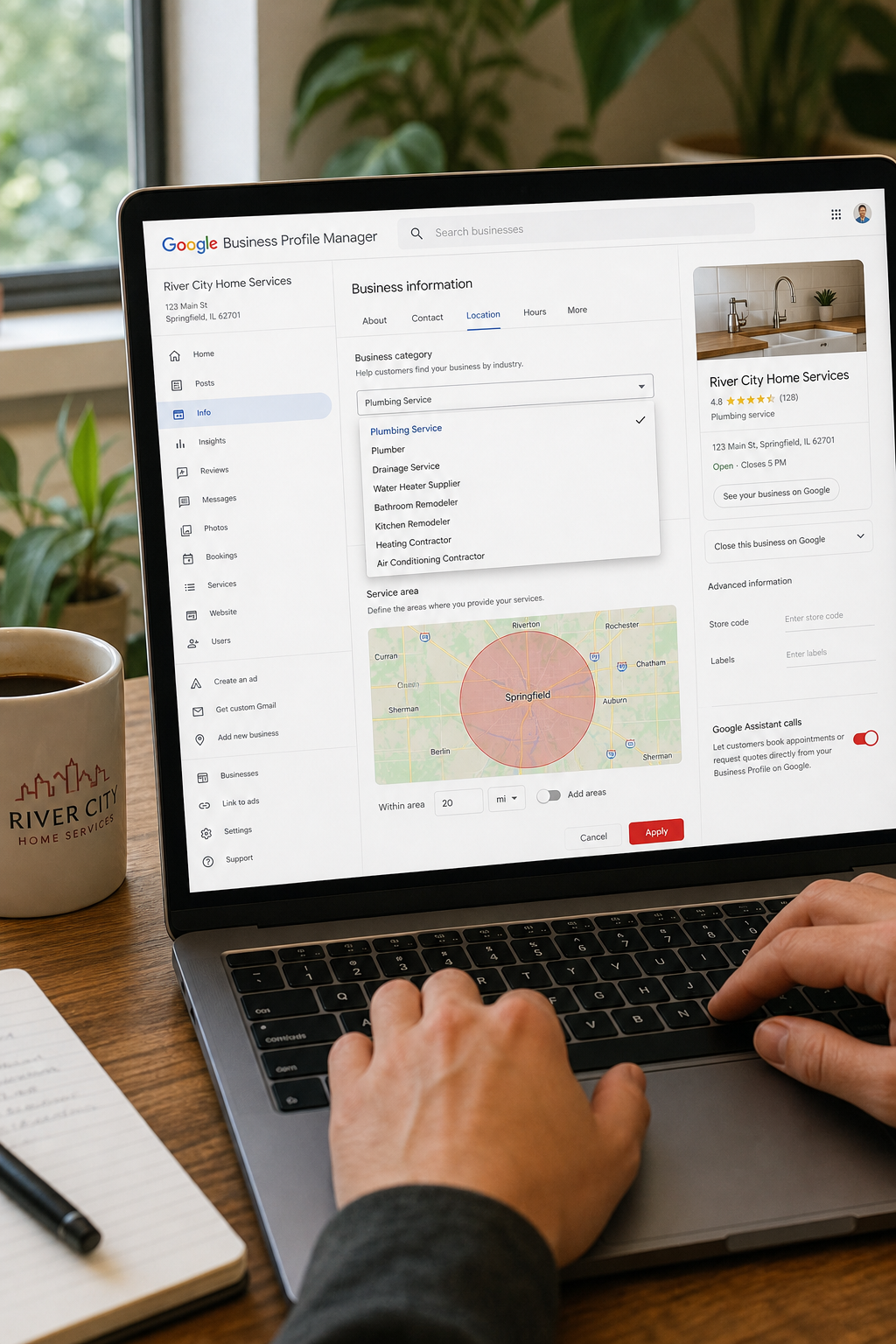
Start with the primary category. Choose the most specific category that describes your core service. If you run a boutique coffee shop, “Coffee shop” is better than the generic “Food & beverage”. You can add up to nine secondary categories to capture additional services , for example, “Pastry shop” or “Coffee bean retailer”. The primary category carries the most weight in the local pack ranking algorithm.
Next, lock down your NAP (Name, Address, Phone). The exact same format must appear on your website, on any local citations, and on the profile itself. Even a missing period or an extra space can create a mismatch that confuses Google’s algorithm and may trigger a suspension.
Set your service area if you don’t serve customers at the physical address. In the dashboard, click “Edit profile” → “Service area” and type city names, zip codes, or draw a radius. Be as specific as possible , a precise service area signals relevance to nearby searchers.
Business hours should reflect reality. Include special holiday hours and mark any days you’re closed. Google will automatically show “Closed now” if the time falls outside your listed hours, which builds trust.
Upload high‑quality photos. Google says fresh images are a ranking signal. Aim for at least 10‑15 photos at launch , storefront, interior, staff, products, and a short video if you can. Update the photo set regularly; a new picture each week tells Google the listing is active.
Write a concise description in the “From the business” section. Focus on what you do, not on promotions. Example: “We’re a family‑run bakery in Cleveland’s Tremont neighborhood, serving fresh pastries and specialty coffee since 2018.” Avoid price talk or calls to action here , those belong in posts.
Lastly, add any applicable attributes , “Wi‑Fi”, “Outdoor seating”, or “Pet friendly”. These appear in the knowledge panel and can sway a shopper’s decision.
And if you need a quick way to audit your NAP across the web, check out the Google Review Calculator tool we built , it helps you generate a short review link and keep your branding consistent.
Step 3: Use Google Posts and Q&A
Google Posts let you share short updates, offers, events, or blog snippets right on your profile. Each post lives for seven days, so posting twice a week keeps your card fresh without overwhelming followers.
Start with a clear headline, add an eye‑catching image, and include a call‑to‑action button , “Book”, “Buy”, “Learn more”, or “Call”. The button links directly to a URL you provide, so you can drive traffic to a landing page, a reservation system, or a product page.
Because the old Q&A feature has been retired, Google now offers Ask Maps , an AI‑powered conversational tool that answers user questions based on your profile data and reviews. To make the most of Ask Maps, keep your profile description, FAQs in the “From the business” section, and recent posts up to date. Google pulls answers from those sources.
When you create a post, think about the buyer’s journey. A “New menu launch” post moves a prospect from awareness to desire. A “Limited‑time discount” post nudges them toward conversion. Pair each post with a tracking URL so you can see which updates drive clicks.
Don’t let posts sit idle. Schedule them in a content calendar. Use a spreadsheet to note the date, theme, image, and CTA. When a post expires, replace it with the next one in the series.
Key Takeaway: Consistent posting (at least twice a week) and a well‑filled Ask Maps section together act as a signal that your business is active and trustworthy.
For more on how Ask Maps works and why it replaces Q&A, read the explanation from BrightLocal’s guide. It details how the AI draws from your profile and reviews to answer questions.
Step 4: Manage and Respond to Reviews
Reviews are social proof. A steady stream of 4‑star and higher ratings boosts both click‑through rates and local ranking signals. Google even says a strong call‑to‑action button on your profile is the single biggest conversion driver.
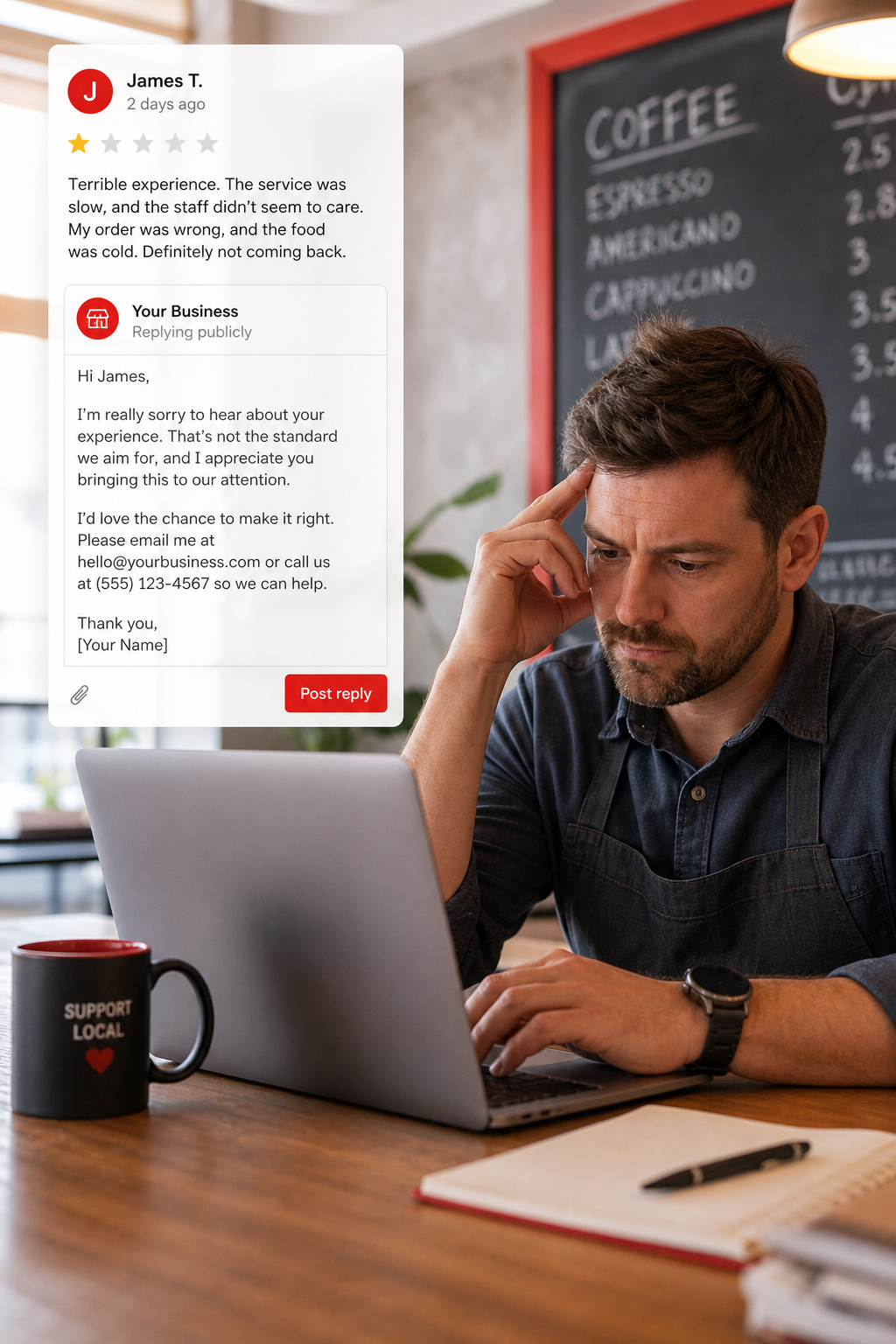
Set a daily routine to check your reviews. Positive reviews can be shared on social media or on your website , just copy the direct link that appears when you click “Copy link”. Negative reviews need a quick, courteous response within 24 hours. A fast reply signals to Google’s AI that you care, which can improve the AI‑generated summary of your business.
When replying, acknowledge the reviewer’s experience, apologize if needed, and offer to resolve the issue offline. Keep the tone professional and avoid any defensive language. If the review violates Google’s policies (spam, off‑topic), you can flag it for removal.
To encourage more reviews, ask happy customers right after a purchase or service. Include a QR code or short link on receipts, email signatures, or a thank‑you page. Our Google Review Calculator makes it easy to create that short link.
Google also lets you showcase top reviews in a “Featured review” slot. Choose a review that highlights a key benefit of your service , this appears prominently on your card.
According to Google’s own help page, sharing a direct review link can increase the number of new reviews you receive, because customers can click the link and be taken straight to the rating prompt.
Remember, reviews are not a one‑off task. Treat them like a mini‑customer service channel you monitor every day.
Step 5: Use Google Business Profile Insights to Refine Your Strategy
Insights give you the raw numbers behind what’s happening on your profile. Views tell you how often people saw your listing, clicks show how many tapped the phone button or visited your website, and direction requests reveal intent to travel.
Open the Insights tab in the dashboard and set a date range , a month is a good baseline. Look for spikes in views that line up with a new post or a local event. If you see a high number of direction requests but low clicks, perhaps your website link is broken or the CTA isn’t clear.
Compare metrics across multiple locations if you run a chain. Export the data to a spreadsheet , the download button is in the upper right of the Insights page , and create a simple table that shows each location’s views, clicks, and calls. Spot the outliers and dig into what they’re doing differently.
Metric
Location A
Location B
Location C
Views
1,200
850
1,540
Clicks
340
210
460
Direction Requests
120
95
180
When a metric falls short, test a change. For example, if clicks are low, try a stronger CTA button (“Call now”) or add a “Book an appointment” link if you offer that service.
Insights also surface data‑driven recommendations from Google. These suggestions appear as a banner in the dashboard and can point out missing info or a new feature you qualify for. Treat them as a checklist.
"The best time to start building backlinks was yesterday."
Finally, remember that performance data updates daily, but a full review should happen monthly. Use the insights to fuel your next round of posts, photo updates, and review requests.
For a broader view of how local ranking works, on local results. It breaks down relevance, distance, and prominence , the three pillars behind every local pack.
And if you want a step‑by‑step local SEO checklist, on how to improve local SEO for small business.
Frequently Asked Questions
What is the fastest way to verify a Google Business Profile?
The quickest method is instant verification, which works if your website is already verified in Google Search Console and the same Google Account is used. If that option isn’t available, phone verification is next fastest , you’ll receive a code via an automated call. Postcard verification takes 5‑7 days, so plan ahead.
How often should I update my business hours?
Any change to your operating schedule should be reflected within 24 hours. Holiday hours, special events, or unexpected closures all need immediate updates. Consistent hours build trust and prevent customers from showing up to a closed door.
Can I use the same photos on my website and on my Google profile?
Yes, but it’s best to keep a fresh set for each platform. Google favors new images, so upload at least two new photos each month. Re‑using high‑quality website images is fine, just make sure they’re properly sized for the profile (minimum 720 px wide).
What should I do if a review violates Google’s policy?
Flag the review by clicking the three‑dot menu next to it and selecting “Report review”. Choose the most accurate reason , spam, off‑topic, or conflict of interest. Google will review the report and may remove the review if it breaks their guidelines.
How does Ask Maps differ from the old Q&A feature?
Ask Maps uses Google’s Gemini AI to generate answers from your profile data, reviews, and the wider web. Unlike the static Q&A where anyone could post an answer, Ask Maps pulls from vetted sources, so the answers stay current and accurate. Keep your profile description and recent posts up to date to give the AI the best material.
Do I need a separate Google Ads account to boost my profile?
No. Your organic profile works on its own, but you can run local search ads that appear above the map pack. These ads use the same business info, so a well‑optimized profile improves both paid and organic performance. Track ad clicks alongside profile clicks in Insights to see the full picture.
Conclusion
Optimizing your Google Business Profile isn’t a one‑time task. It’s a loop of claiming, fine‑tuning, posting, listening, and measuring. When you claim the listing, lock down NAP, choose the right categories, and verify quickly, you set a solid foundation. Fresh posts and a well‑filled Ask Maps section keep the profile lively, while rapid review responses build trust. Finally, use Insights to turn data into the next round of improvements.
Follow these steps, and you’ll see more clicks, more direction requests, and ultimately more foot traffic or calls. If you want to dive deeper into local SEO tactics, on how to improve local SEO for small business. It expands on citation building, schema markup, and other levers that work hand‑in‑hand with a strong Google Business Profile.
Looking for the right digital marketing agency for your business — one that drives measurable ROI? Long Weekend helps service businesses, SaaS, ecommerce brands and more — grow with expert SEO, AI Search, Google Ads (PPC) management, paid social ads, website design, and more.