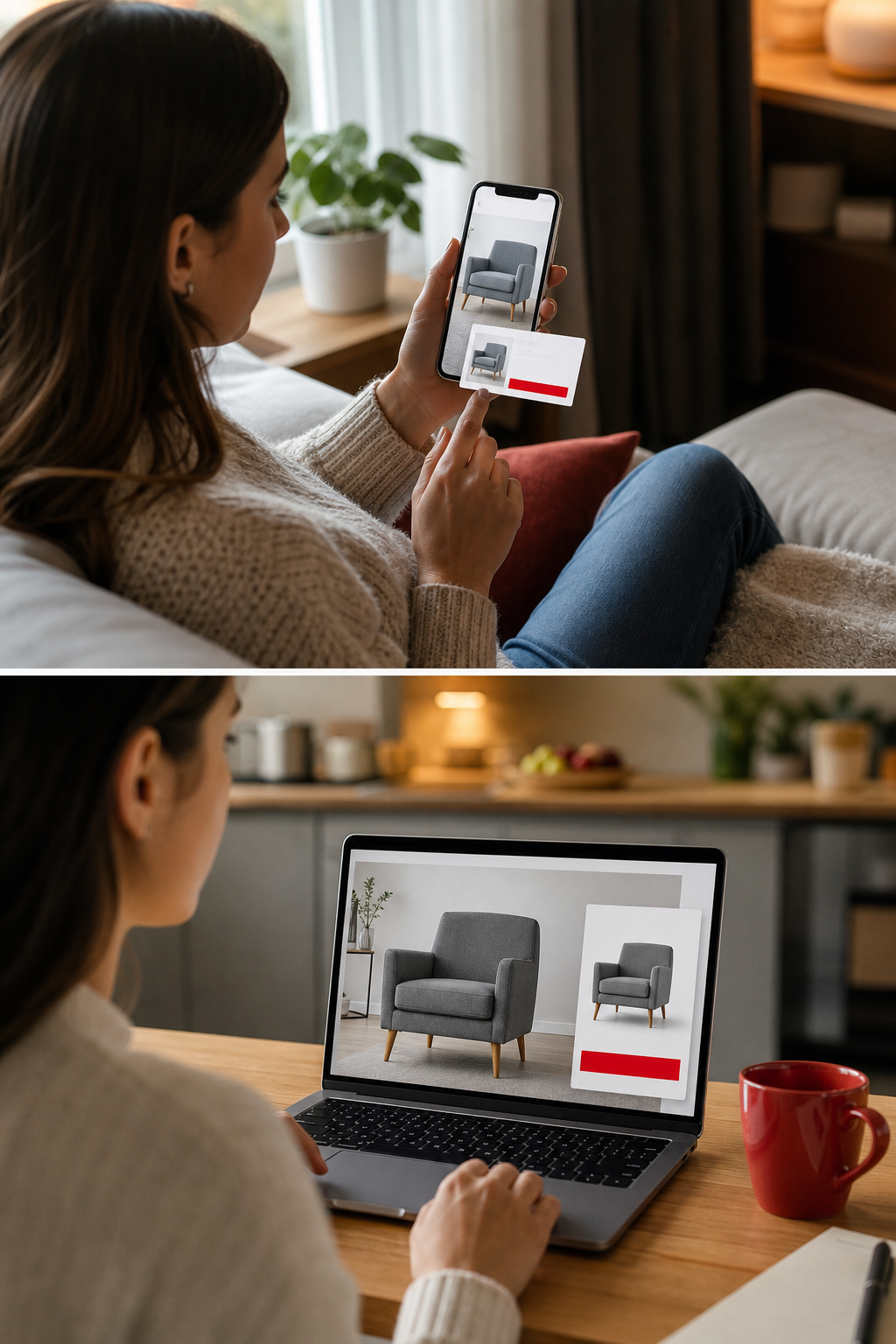
Visitors leave your store all the time. Most never click ‘Buy’ the first time they land on a product page. That means you’re watching potential revenue slip away. In this post we’ll walk through 19 proven remarketing strategies for ecommerce that can pull those browsers back, lift conversion rates, and grow your return on ad spend.
We’ll break each tactic into a short, actionable chunk. You’ll see why it works, how to set it up, and the pitfalls to avoid. By the end you’ll have a menu of options you can mix and match to fit any budget or tech stack.
1. Dynamic Product Remarketing Ads , Show the Right Products to Past Visitors
Dynamic ads pull the exact product a shopper looked at and serve it on Google Display, Meta feeds, or other ad networks. Because the ad mirrors what the user already liked, the click‑through rate spikes and the cost per conversion drops.
Start by linking your product catalog to the ad platform. Most platforms let you upload a CSV feed that includes SKU, price, image URL, and availability. When a visitor views a shoe, the platform reads the feed and builds an ad that features that shoe, the price, and a call‑to‑action like “Buy now, free shipping.”
Here’s a simple workflow:
Export your catalog from Shopify or your ecommerce backend.
Upload the feed to Google Merchant Center or Meta Catalog Manager.
Create a Dynamic Product Ad template that pulls fields from the feed.
Set a frequency cap so the same user doesn’t see the same ad too often.
Dynamic ads work best when you also tie them to a discount code that expires in 48 hours. That creates urgency and gives you a clean way to measure lift.
Many brands see a 2, 3× boost in click‑through rates compared with static display ads. Thrive Agency reports that dynamic retargeting can lift conversion rates up to 26%. Our Google Ads PPC management clients often experience similar lifts with dynamic remarketing. The key is keeping the product data fresh; a daily sync prevents out‑of‑stock items from showing.
Think about it this way: you’re reminding a shopper of the exact item they liked, right when they’re browsing elsewhere. That reminder nudges them back to your checkout.
Key Takeaway: Dynamic ads turn a product view into a personalized ad, which can triple CTR when the feed stays current.
2. Cart Abandonment Email Sequences , Recover Lost Sales with Timely Messages
When a shopper adds items to the cart but leaves, an automated email can bring them back. The first message should fire within an hour, reminding them of what’s waiting.
Here’s a three‑email flow that works for most stores:
Hour 1: “You left something behind” with a product image and a clear “Return to cart” button.
Day 1: Add social proof, like a short review of the product, and maybe a small discount.
Day 3: Create urgency with a “Your cart expires soon” note and a stronger offer, such as free shipping.
Each email should pull the product name, price, and image dynamically from your order system. If you use Klaviyo or Mailchimp, the integration is a few clicks.
Testing matters. Try different subject lines , “Did you forget something?” vs. “Your cart is waiting”. Track open rates and conversion per email. According to WhatConverts, the average lift from a well‑crafted cart‑abandon flow is 5, 15 % of total sales.
Don’t overload the shopper. If the user clicks the first email, you can stop the sequence. Also, respect GDPR and CCPA opt‑out settings , only email those who have consented.
Pro tip: add a countdown timer GIF that shows how many hours are left before the cart expires. Visual urgency pushes the click.
3. Facebook Custom Audiences & Retargeting , Use Social Platform Data
Facebook lets you upload a list of emails or phone numbers, or create a website‑pixel audience. Once the audience is built, you can serve ads that match the exact stage of the buyer journey.
Start by installing the Meta Pixel on every page. The pixel records events like “ViewContent”, “AddToCart”, and “Purchase”. In Events Manager, create separate audiences for each event and set a look‑back window , 30 days works for most ecommerce cycles.
When you build an ad set, choose the appropriate audience. For high‑intent shoppers who added to cart, use a direct offer like “10 % off today”. For broader “ViewContent” users, showcase product reviews or lifestyle videos.One common mistake is forgetting to exclude recent purchasers. If a buyer already completed the purchase, they’ll see the same ad again, which hurts brand perception.
Facebook also offers a “Conversion API” that sends server‑side events, improving tracking after iOS 14 restrictions. You can read the step‑by‑step guide on the Meta Business Help Center for details.
Here’s a quick checklist:
Verify pixel fires on all pages.
Set up standard events (ViewContent, AddToCart, Purchase).
Create custom audiences for each event.
Exclude purchasers from the cart‑abandon audience.
Test with a small budget before scaling.
Brands that layer Dynamic Product Ads on top of these custom audiences often see ROAS jump by 1.8, 2.5 ×. Our remarketing services help brands achieve these results.
4. Google RLSA (Remarketing Lists for Search Ads) , Bid on Past Visitors in Search
RLSA lets you target people who have already visited your site when they type a query on Google. The idea is simple: a user who searched “running shoes” and later visited your store is more likely to convert than a brand‑new searcher.
First, link your Google Analytics property to Google Ads and enable Google signals. In Analytics, build an audience , for example, “All users who visited a product page in the last 30 days”. Once the audience syncs, you can apply it to a Search campaign.
When you attach the list, you can raise bids, tailor ad copy, or add sitelinks that speak to the visitor’s earlier interest. A typical ad might read “Still looking for those trail shoes? Free returns this week”.
Best practice: keep the audience size above 1,000 active users. If you have a small store, combine multiple page‑view audiences to reach the threshold.
Google’s official docs explain how to set up and use RLSA here. Follow the step‑by‑step guide to avoid common pitfalls like overlapping audiences that dilute performance.
Pro tip: use a separate ad schedule for RLSA ads , they often perform best in the evenings when shoppers have time to compare options.
5. AI‑Driven Product Recommendation Widgets , Personalize with Machine Learning
Modern recommendation engines use deep‑learning models to predict what a shopper will want next. Unlike simple “related products” lists, AI looks at browsing patterns, purchase history, and even the time of day.
Coveo offers a suite of AI models that can be dropped into any ecommerce site. You configure the widget, select a strategy , like “Frequently bought together” or “Trending now” , and the engine serves a carousel that updates in real time.
Implementation steps:
Sign up for Coveo and obtain an API key.
Install the JavaScript snippet on your product and category pages.
Select the recommendation strategy that matches your goal.
Set rules to boost high‑margin items or clear‑out inventory.
Run A/B tests to compare the AI widget against a static list.
Because the model learns from each click, it gets smarter over days. Brands that adopt AI recommendations often see a 10, 20 % lift in average order value.
Make sure you respect privacy laws , show a consent banner before tracking anonymous shoppers.
Pro Tip: Combine the AI widget with a “You may also like” email that pulls the same recommendations for post‑visit nudges.
6. Sequential Remarketing Funnels , Guide Users Through a Multi‑Step Journey
Instead of blasting the same ad to every past visitor, you can build a funnel that changes the message based on how close the shopper is to buying.
Here’s a five‑stage funnel example:
Day 0‑1: Show a brand‑awareness video to anyone who visited the homepage.
Day 2‑4: Show a carousel of the specific product they viewed.
Day 5‑7: Offer a limited‑time discount on that product.
Day 8‑10: Highlight social proof , reviews, user‑generated content.
Day 11‑14: Push a “last chance” message with free shipping.
Each stage uses a different ad creative and a different call‑to‑action. By the time the shopper sees the final ad, they’ve been reminded, reassured, and given an incentive.
Set this up in Facebook’s “Ads Manager” by creating multiple ad sets that share the same budget but target different custom audiences. In Google Ads, use separate campaigns with different audience lists and ad copy.
When you test the funnel, measure the lift at each stage. If the discount ad doesn’t improve conversion, you might skip that step.
Key benefit: you spend more on high‑intent users and less on early‑stage browsers, which improves overall ROAS.
7. Post‑Purchase Email Upsell Flows , Increase Customer Lifetime Value
After a shopper completes a purchase, you still have a chance to sell more. A post‑purchase email sequence can suggest complementary items or higher‑margin upgrades.
Typical flow:
Day 0: Order confirmation with a “Thank you” tone.
Day 2: “You might also like” , show accessories that fit the purchased product.
Day 7: Offer a bundle discount if they add a second item.
Day 30: Ask for a review and include a loyalty‑points incentive.
The key is timing. You don’t want to bombard the buyer immediately, but you also don’t want to wait too long. Data shows that a 48‑hour window yields the highest upsell click‑through.
Use a tool like Klaviyo that can pull purchase data via API and auto‑populate product recommendations. Personalize the email with the buyer’s first name and the exact product they bought.
Brands that run a post‑purchase upsell see a 5‑10 % lift in repeat purchase rate. Make sure you track the incremental revenue separate from the original order.
Pro tip: include a “Free shipping on your next order” coupon that expires in 14 days to drive urgency.
8. Cross‑Device Remarketing , Reach Users Across All Their Devices
Shoppers switch between phone, tablet, and laptop during a buying cycle. If you only target one device, you lose half the chances.
Google’s universal cookies and Facebook’s device graph let you stitch together a user’s identity across devices. When you upload a first‑party audience, the platform automatically expands it to all logged‑in devices.
Here’s how to set it up:
Enable “Device ID” collection in your analytics tag.
Create a unified audience that includes all events (view, add‑to‑cart, purchase).
In the campaign settings, select “All devices” as the placement.
Adjust bids higher for mobile if you notice higher conversion on that channel.
Cross‑device campaigns often see a 20 % lift in overall conversions because the ad follows the shopper wherever they go.
Remember to respect privacy regulations , provide a clear consent banner before tracking across devices.
Pro tip: synchronize your ad creative across devices so the shopper sees a consistent message, reinforcing brand recall.
9. Customer Match & Lookalike Audiences , Expand Reach with First‑Party Data
Customer Match lets you upload a list of emails, phone numbers, or IDs that Google will match to signed‑in users. Once matched, you can run campaigns that target only those users or create lookalike audiences to find similar prospects.
Steps:
Export your CRM list , include only opted‑in contacts.
Upload the list in Google Ads under “Audience manager”.
Set up a “Exact match” campaign for existing customers (e.g., loyalty offers).
Create a “Similar audience” campaign with a broader reach but similar behavior patterns.
Lookalike audiences typically have a 1.5, 2× higher conversion rate than cold targeting because the algorithm uses your high‑value signals.
Make sure you hash the data before upload to stay compliant with GDPR and CCPA.
Pro Tip: Refresh your customer list every 30 days to keep the audience fresh and avoid stale matches.
10. First‑Party Data Remarketing (Privacy‑First) , Future‑Proof Your Strategy
Third‑party cookies are fading. To keep remarketing alive, you need to rely on first‑party data that you collect directly from your site.
Use a server‑side tracking solution that stores user interactions in your own database. Then feed that data into Google’s “Customer Match” or Facebook’s “Custom Audiences”. This approach sidesteps browser restrictions and gives you full control.
Key steps:
Implement a consent banner that explains why you collect data.
Capture events (page view, add‑to‑cart) in a secure endpoint.
Batch upload hashed identifiers to ad platforms daily.
Monitor match rates , aim for at least 70 %.
JENTIS outlines best practices for privacy‑first remarketing here. Following their guide helps you stay compliant while still reaching past visitors.
Benefit: you own the data, so you can reuse it across campaigns, email, and SMS without relying on third‑party cookies.
11. On‑Site Personalization for Returning Visitors , Tailor the Shopping Experience
When a known shopper lands on your homepage, you can show them a personalized banner, product carousel, or even a custom landing page.
Tools like Insider One let you set rules based on past purchases, browsing depth, or loyalty tier. For example, a returning buyer who previously bought skincare can see a “Your favorite brand is back in stock” banner.
Implementation steps:
Identify returning visitors via a first‑party cookie or logged‑in session.
Create personalized content blocks for each segment.
Test the blocks with a small traffic slice before full rollout.
Personalized on‑site experiences can lift conversion rates by up to 30 % according to Insider One’s research.
Make sure the personalization doesn’t slow page load , use asynchronous loading for dynamic modules.
12. SMS Remarketing Campaigns , High‑Open‑Rate Channel for Urgent Offers
Text messages have an open rate above 90 %. That makes SMS perfect for flash sales, low‑stock alerts, or cart‑abandon nudges.
To start, choose a compliant SMS platform that supports two‑way messaging. Collect phone numbers at checkout with an opt‑in checkbox.
Typical flow:
Minute 30 after cart abandonment: “Hey, you left a pair of shoes in your cart. Complete now and get 10 % off.”
Hour 6: If no click, send a reminder with a short product image.
Day 1: Offer free shipping if they finish today.
Make each message short, include a clear CTA link, and respect quiet hours (no texts after 9 pm).
"SMS cuts through the noise. A well‑timed text can turn a hesitant shopper into a buyer in minutes."
Measure success by click‑through rate and resulting revenue, not just delivery metrics.
13. YouTube Remarketing , Video Ads for Past Visitors
Video lets you tell a brand story, showcase product demos, or share customer testimonials. By remarketing on YouTube, you reach users who have already visited your site as they watch related videos.
Set up a custom audience in Google Ads based on website visitors, then create a video campaign with the “Video discovery” or “In‑stream” format.
Creative tips:
Lead with the product benefit in the first 5 seconds.
Show the exact product the viewer browsed.
End with a strong CTA , “Shop now” linking to the product page.
Because YouTube’s audience is signed‑in, you get precise matching even without cookies.
Test different video lengths , 15‑second bumpers work well for quick reminders, while 30‑second stories boost brand affinity.
Amazon’s demand‑side platform lets you show ads to shoppers who viewed your product on Amazon but left the site. You can also target competitors’ shoppers based on category.
Steps to launch:
Enroll in Amazon DSP and link your seller central account.
Upload your product catalog or use Amazon’s auto‑sync.
Create a “Product view” audience and set a 30‑day look‑back.
Design banner or video ads that highlight price or free shipping.
Because the audience is already in a buying mindset, the cost per acquisition is often lower than standard display.
Remember to respect Amazon’s ad policies , no false claims about Prime eligibility unless you can deliver.
15. Google Performance Max for Retargeting , Automated Campaigns Across Networks
Performance Max (P‑Max) lets Google’s AI serve ads across Search, Display, YouTube, and Discover from a single campaign. You feed it a set of assets (headlines, images, videos) and a conversion goal, and the system optimizes placement.
To use P‑Max for remarketing, upload a first‑party audience (e.g., past 30‑day visitors) as a “Signal”. Then supply product‑specific creative assets.
Pros
Cons
Automation saves time
Less manual control over placement
Cross‑network reach
Requires strong asset library
Smart bidding optimizes ROAS
Learning phase can be long
Key tip: include a “promo code” asset that changes every two weeks to keep the ad fresh and avoid ad fatigue.
The creative you show matters as much as the audience. Test three proven formats:
Review‑based ads , pull a five‑star rating and short testimonial.
Founder story , a short video of the brand’s creator explaining the mission.
Competitor comparison , a side‑by‑side chart showing why your price or feature wins.
Each format speaks to a different buyer emotion: trust, connection, or rational decision.
Rotate the formats every two weeks to avoid ad fatigue. Use a frequency cap of three impressions per user per week.
17. Frequency Capping & Ad Fatigue Management , Keep Your Audience Engaged
Showing the same ad too often can annoy shoppers and drive up costs. A frequency cap limits the number of times a user sees an ad in a given period.
Set caps based on funnel stage. Early‑stage awareness can tolerate higher frequency (5‑6 per week). Bottom‑of‑funnel offers should stay under three per week.
Monitor ad fatigue metrics , a rising CPM and falling CTR often signal fatigue. When you spot it, swap creative or lower the cap.
Pro tip: use dynamic creative optimization (DCO) to automatically serve the freshest assets.
Testing is the only way to know what works. Pick one variable at a time , headline, image, audience segment , and run the test for at least 7 days to gather enough data.
Use a statistical significance calculator to decide when a winner emerges. Google’s Campaign Experiments tool can split traffic evenly between two ad sets.
After a test, apply the winning element across all campaigns. Then move to the next variable.
Remember to document each test in a shared spreadsheet. Over time you’ll build a library of proven assets and targeting rules.
19. Measuring ROAS & CPA for Remarketing , Track What Matters
Return on ad spend (ROAS) and cost per acquisition (CPA) are the core KPIs for any remarketing effort. Calculate ROAS by dividing revenue attributed to the campaign by the ad spend.
Vision Labs offers a simple calculator you can embed in your dashboard here. Use consistent attribution windows (e.g., 7‑day click) across platforms for fair comparison.
Set benchmarks based on your product margins. If a product’s profit margin is 30 %, aim for a ROAS of at least 3.3 (revenue ÷ spend). Adjust bids or creative if you fall short.
Track CPA alongside ROAS. A campaign with high ROAS but a CPA that exceeds your profit per order is still a loss.
Regularly audit your audience sizes , small lists can inflate CPA due to limited inventory.
FAQ
What is the difference between remarketing and retargeting?
Remarketing usually refers to using first‑party data to show ads on Google’s network, while retargeting is a broader term that includes social platforms and email. Both aim to re‑engage users who have already interacted with your brand, but the channels and data sources differ.
How do I choose the right audience window for cart abandonment?
Start with a 24‑hour window, then test 12‑hour and 48‑hour variants. Shorter windows work well for impulse buys, while longer windows capture higher‑value items that need more consideration.
Can I use the same creative for both Facebook and Google ads?
You can reuse the core visual, but each platform has different size specs and copy limits. Adjust the headline length for Facebook and add a strong call‑to‑action for Google Search ads.
Is server‑side tracking worth the effort?
Yes, especially after browsers limited third‑party cookies. Server‑side tracking gives you more reliable data, higher match rates for Customer Match, and better compliance with privacy laws.
How often should I refresh my dynamic product feeds?
At least once a day. Daily sync ensures out‑of‑stock items are removed and price changes are reflected, preventing wasted spend on unavailable products.
What budget should I allocate to a remarketing funnel?
Allocate 20‑30 % of your total paid media budget to remarketing. Within that, split 60 % to bottom‑of‑funnel ads (cart abandoners) and the rest to upper‑funnel awareness.
Do I need a consent banner for AI recommendation widgets?
Yes. Any tool that tracks user behavior to personalize content requires clear consent under GDPR and CCPA. Show a brief banner that explains the purpose and lets users opt‑in.
How can I measure the impact of frequency caps?
Compare CPM and CTR before and after applying caps. If CPM drops and CTR rises, the cap is helping. Also watch for a decrease in ad fatigue signals like rising bounce rates on the landing page.
Conclusion
Remarketing is the bridge between a curious click and a paying customer. By mixing dynamic product ads, email flows, social‑platform custom audiences, and privacy‑first data tactics, you create a safety net that catches lost shoppers at every stage.
We’ve covered 19 tactics you can start testing today. Pick the ones that match your tech stack, budget, and audience behavior. Then layer them, track ROAS and CPA, and keep iterating.
If you want a deeper look at how a managed agency can set up these systems for you, check out our Google Ads Management service. We’ll audit your current setup, plug in the missing pieces, and keep the campaigns humming.
Ready to turn browsers into buyers? Start with one tactic, measure the lift, and expand from there. The sooner you act, the faster your revenue grows.
Looking for the right digital marketing agency for your business — one that drives measurable ROI? Long Weekend helps service businesses, SaaS, ecommerce brands and more — grow with expert SEO, AI Search, Google Ads (PPC) management, paid social ads, website design, and more.